
Load a game
Paste a PGN or upload or drop a .pgn file to bring the game into the analyzer.
Coming soon · Chrome extension
Review a chess game move by move. Find the critical mistakes, see why they changed the position, and step through better lines on the board.
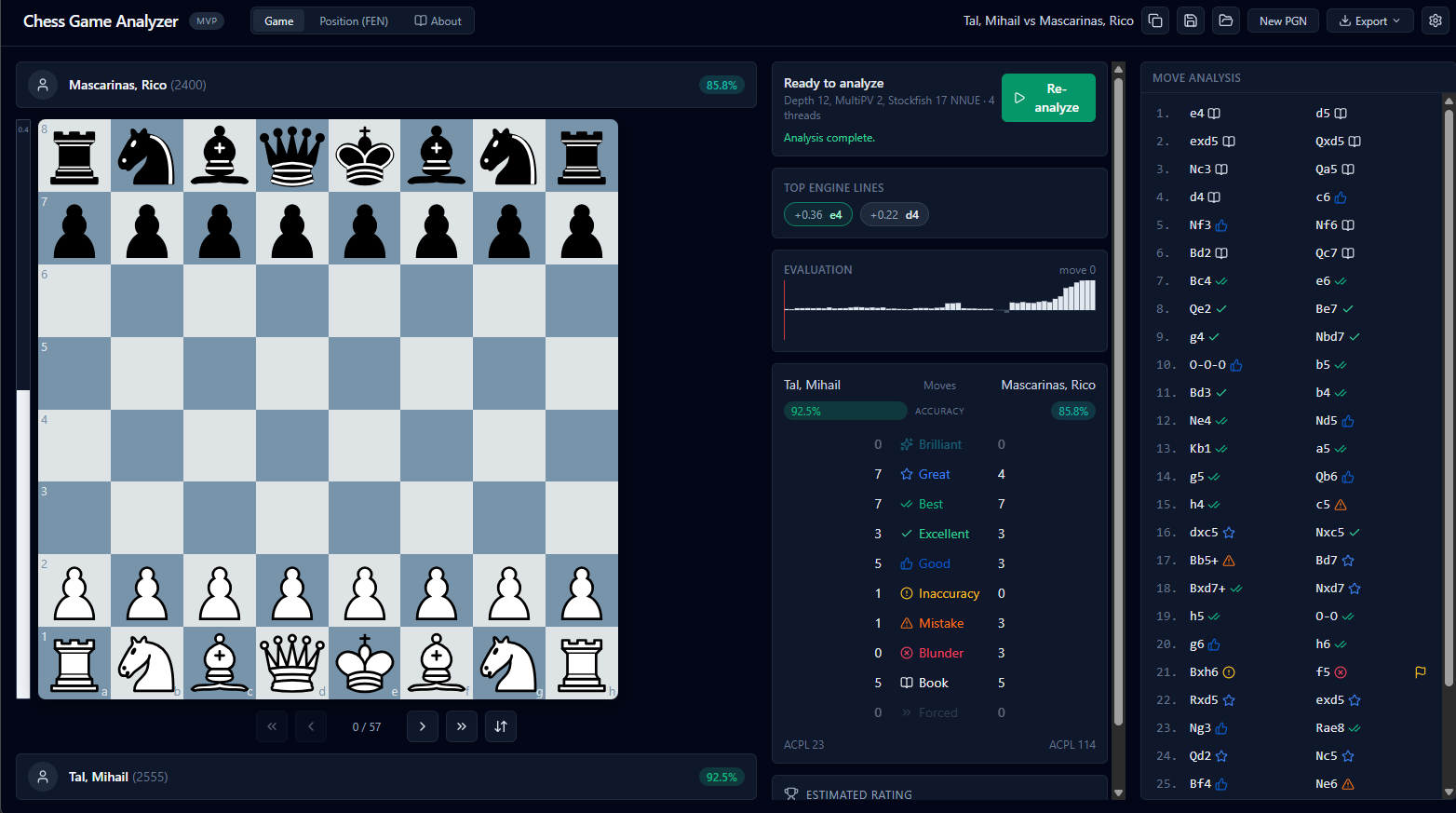
A move labeled “Blunder” or a sudden evaluation drop can leave you wondering what the opponent could do. The analyzer connects the assessment to the position, the engine’s preferred move, and a line you can follow—so reviewing a mistake feels like learning, not being judged.
Your review, step by step
You choose when to start analysis, then explore the moments that shaped the game.
Paste a PGN or upload or drop a .pgn file to bring the game into the analyzer.
Start Stockfish analysis when you’re ready. Choose analysis depth and MultiPV in the settings.
Select a move to inspect its classification, evaluation change, engine-preferred move, and available explanation. Step through the lines and follow the board.
More than a score
Move assessments point you toward the positions worth a closer look.
Move classifications help you find blunders, mistakes, and inaccuracies in the game.
For supported moves, “See why” can explain a tactical loss, an undefended piece, a forced mate, or positional damage using analyzed lines and board facts.
Step through the played continuation, a refutation, or a better engine line while the board updates.
Compare player accuracy and move classifications, then export an annotated PGN or analysis JSON.
Make the position make sense
Compare the played move with the engine’s recommendation, then step through the line to see how the position changes. These examples show different kinds of moments from a game review.
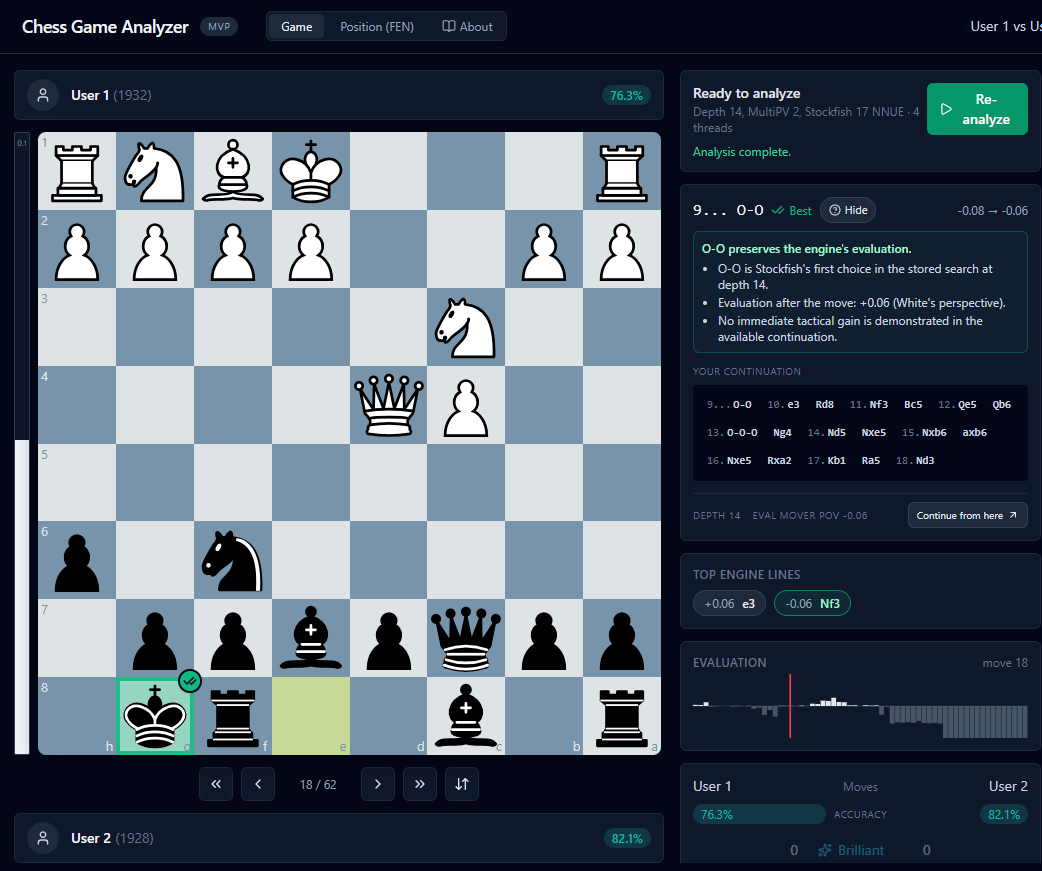
The selected move is marked Best, with an explanation of how it preserves the engine’s evaluation and a continuation to explore.
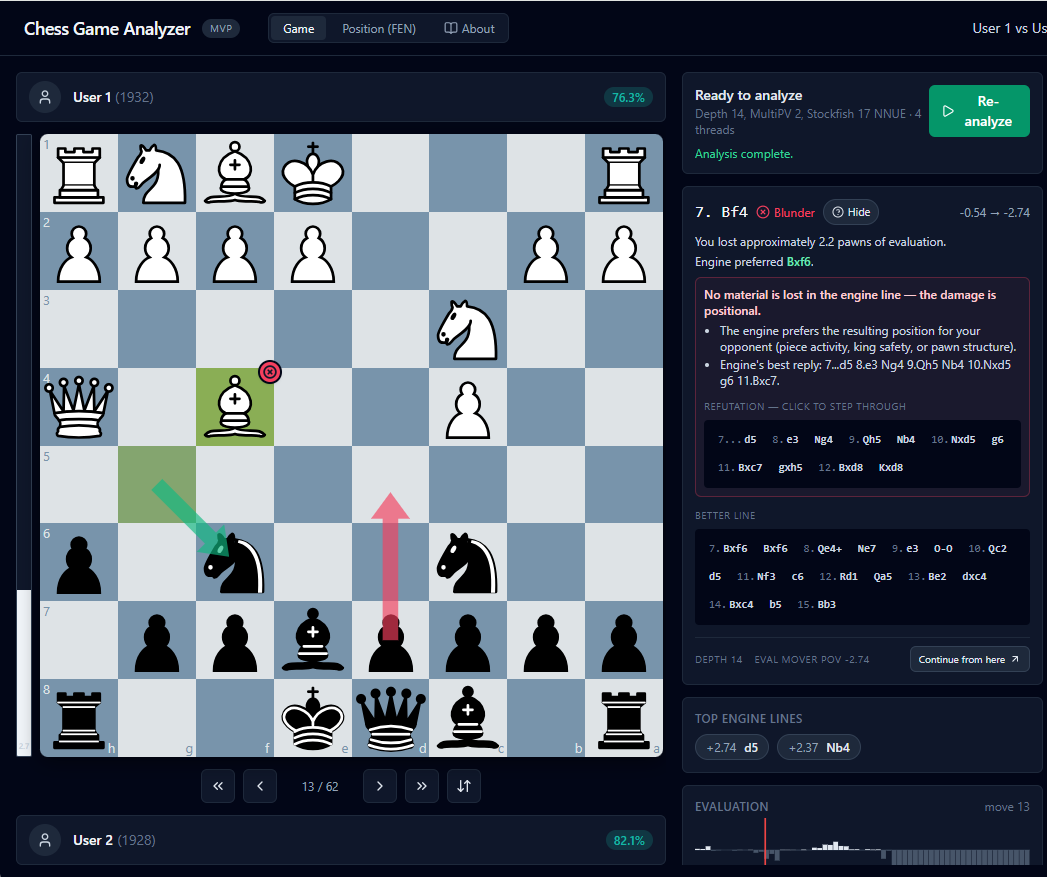
This example shows the evaluation drop, the engine-preferred move, and lines illustrating positional damage and a better alternative.
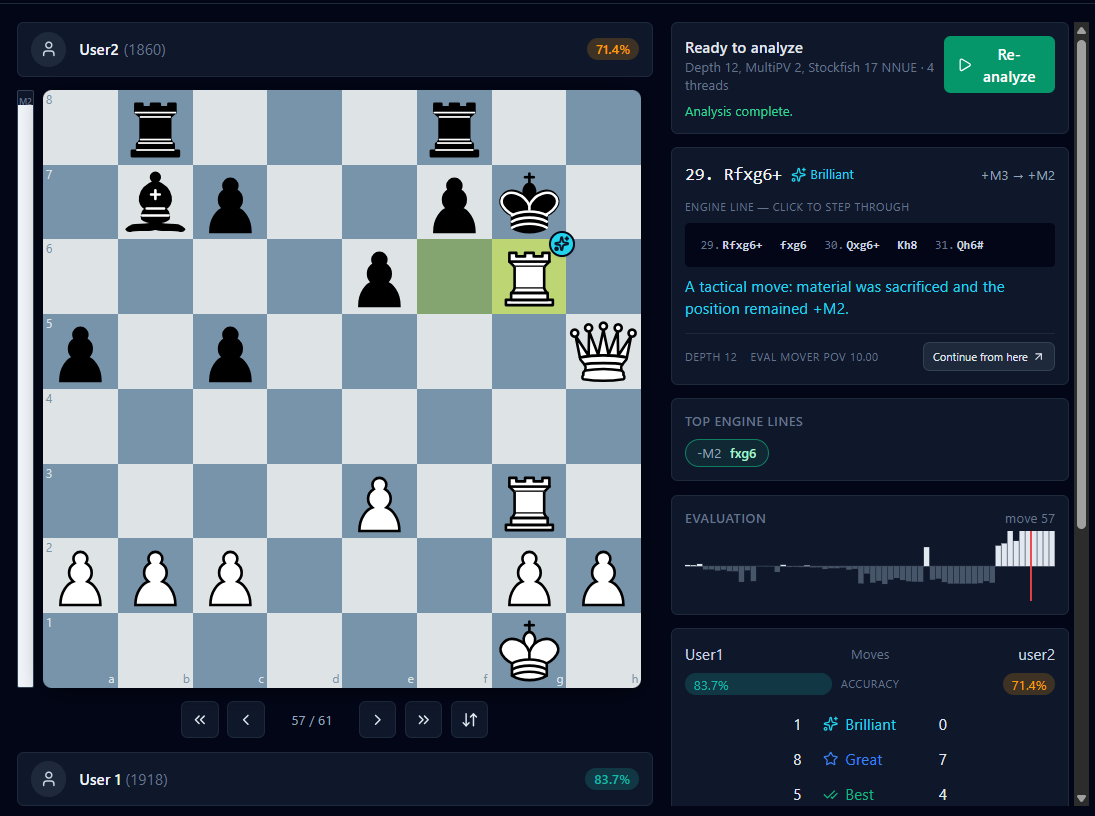
The move review highlights a rook sacrifice and shows the engine line that keeps a forced mate in the position.
Analysis settings
The settings include options for reusing cached analysis and managing the precomputed position database.
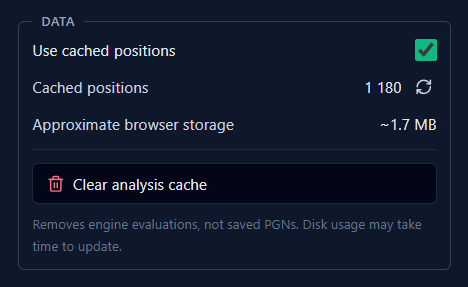
View cached positions and estimated storage, or clear the analysis cache when you want to remove stored engine evaluations.
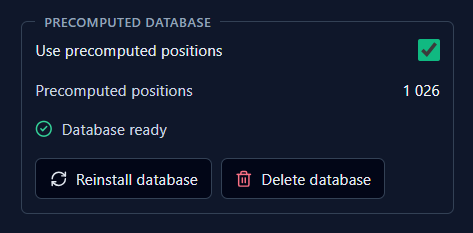
Check whether the position database is ready, see its position count, and reinstall or delete the database.
Coming soon
Review the positions that mattered, understand the ideas behind your mistakes, and take those lessons into your next game.