Advanced Rules
Advanced Rules provide users with precise, granular control over content blocking. Instead of blocking entire websites or categories, users can create custom rules that target specific URLs, API endpoints, or resource types. This enables sophisticated blocking strategies tailored to individual needs.
Primary Purposes
- Block specific APIs or endpoints while allowing the main website
- Filter particular resource types (scripts, images, stylesheets) from selected domains
- Target tracking pixels, analytics calls, and telemetry requests
- Block real-time connections (WebSockets) to specific services
- Create custom rules beyond standard domain blocking
Key Features
- 🔍 Precision: Target exactly what you want to block, nothing more
- ⚙️ Flexibility: Three matching strategies for different scenarios
- 🚀 Performance: Block only specific resource types for better efficiency
- 🛠️ Customization: Create rules unique to your workflow
Why Use Advanced Rules?
Standard blocking rules work at the domain level, but they lack nuance. With Advanced Rules, you can:
- Preserve functionality — Block analytics without breaking the website
- Reduce bloat — Block only heavy resources like CDN-hosted stylesheets
- Enhance privacy — Target third-party tracking without affecting core services
- Optimize performance — Selectively block resource types that impact page load
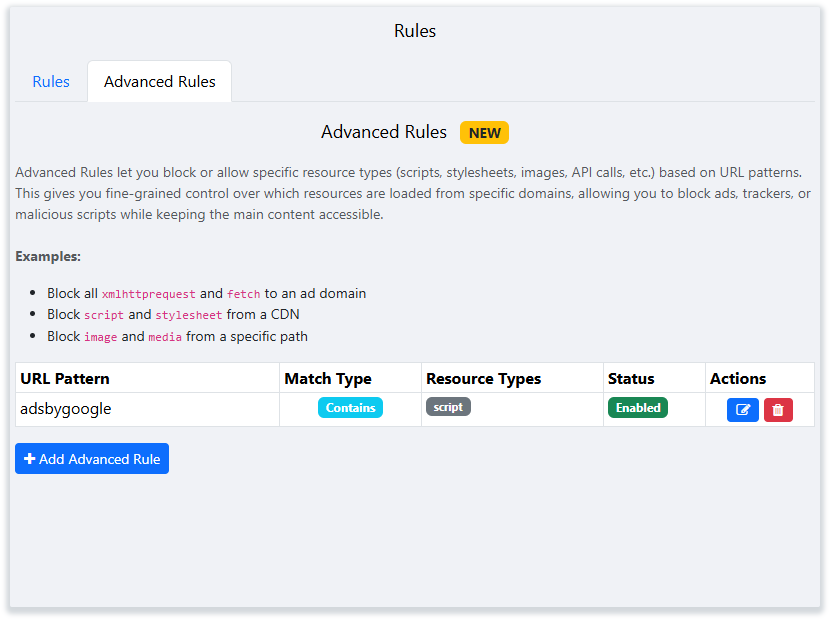
Use Cases & Examples
Scenario 1: Exact URL Matching with Resource Types
| URL | Match Type | Resource Type |
|---|---|---|
https://jsonplaceholder.typicode.com/todos/1 |
Exact Match | xmlhttprequest, main_frame |
Result: When a user directly navigates to the exact URL or when an XMLHttpRequest is made to that specific address, the request will be blocked.
Note: https://jsonplaceholder.typicode.com/todos/2 will still be accessible.
Scenario 2: Partial URL Matching with Resource Type
| URL | Match Type | Resource Type |
|---|---|---|
adsbygoogle |
Contains | script |
Result: Any script resource from any URL containing the text "adsbygoogle" will be blocked, effectively blocking Google AdSense scripts across all websites.
Outcome: Google ads will not load on any page.
Scenario 3: Prefix URL Matching for Tracking Prevention
| URL | Match Type | Resource Type |
|---|---|---|
eye.targetads.io/web/collect |
Start With | xmlhttprequest |
Result: All requests to URLs that start with this pattern will be blocked, preventing user activity collection and tracking.
Example: https://eye.targetads.io/web/collect?dl=example will be blocked, stopping user tracking and data collection.
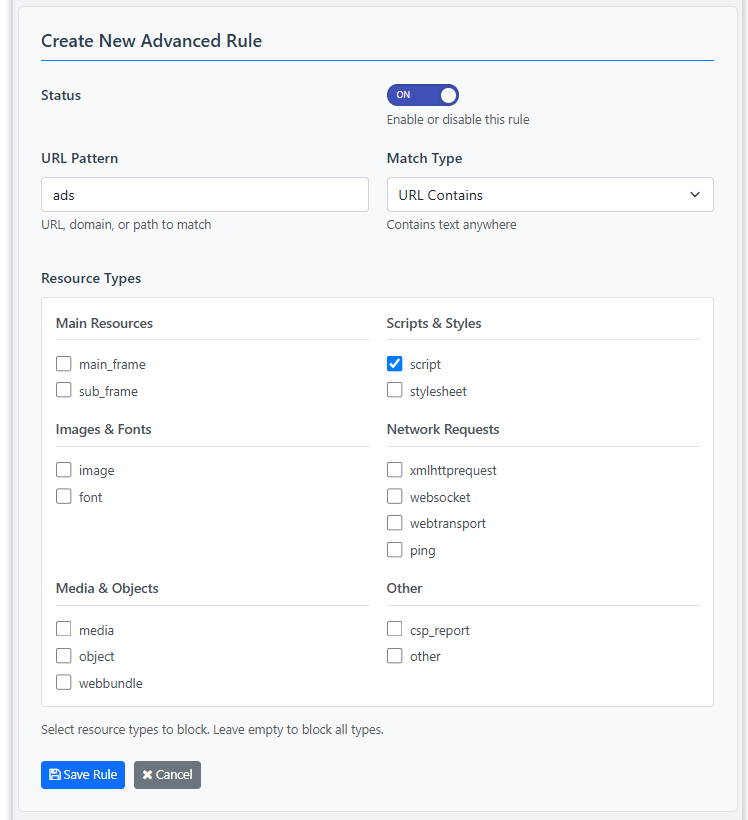
http:// or https:// in the URL field
unless you want to match those protocols specifically. For maximum compatibility, use just the domain or path segment you want to target.